The FFE Plugin
The FFE plugin provides functionality that’s useful for running tournaments associated with the French Chess Federation (the Fédération Française des Échecs).
The FFE plugin is automatically activated for tournaments of federation “FRA”.
Enabling the plugin adds a number of a features to Sharly Chess:
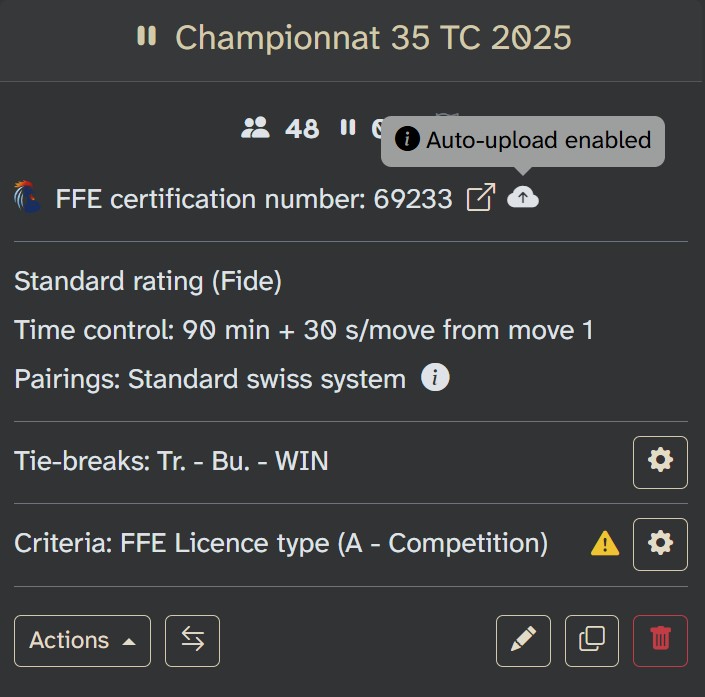
- The ability to define the tournament’s FFE certification number and password.
- Automatic upload the tournament results to the FFE site.
- Uploading of the tournament results to the FFE site.
- Import and export of PAPI files.
- Player search from the online database provided by the FFE.
- Downloading and local search of the player database provided by the FFE.
- Extra player information including the player’s FFE number and license status, and their league.
- FFE rating rules: FIDE ratings first, default sequences and estimates for unrated players (see Ratings).
- Age categories are updated on 1 September (instead of 1 January). Calculation is still based on the player’s age as of 1 January of the current year.
- Easy access to actions on the FFE website: submitting regulations, managing tournament visibility, and downloading fees.
- FFE specific tie-breaks calculations for compatibility with Papi and the tie-break calculations that are displayed on the FFE site.
- Extra prize criteria for leagues.
- Generating FFE forms needed to manage French tournaments.
- Rule sets for the French team competitions, with their roster rules and the Loubatière pairing sheet.
Ratings
With the FFE plugin, the tournaments look for the FIDE ratings first, then the national ones, and the Rating retrieval is locked to the FFE sequence of the cadence:
| Standard | FIDE list: standard → FFE: FIDE standard › national standard |
| Rapid | FIDE list: rapid › standard → FFE: FIDE rapid › FIDE standard › national rapid |
| Blitz | FIDE list: blitz › standard → FFE: FIDE blitz › FIDE standard › national blitz |
A player who holds none of these ratings is given the estimate the FFE list gives them, shown with an “E” as on the federal site. The FFE can give a player another estimate than the one of their category:
- the estimate their club asked for when taking out the licence, if the FFE accepted it, which goes by steps of 50 (1449, 1499, 1549…);
- 1399 at a cadence where they lost a FIDE rating, whatever their age.
Otherwise, and for a player the list does not hold yet, such as a player whose licence is not yet published, the estimate is the one prescribed by the FFE for the player’s age category:
| Standard | 1399 (adults), 1299 (juniors) |
| Rapid and blitz | 1199, 999 up to U14, 799 up to U10 |
These estimates follow the player’s category: they change when the category does. The list may still give a player the estimate of a younger category after they have moved up, such as 799 in rapid to a U12: Sharly Chess then uses the estimate of their current category instead. A value typed by the arbiter takes precedence over all of them.
The Unrated players fields of the event and the tournaments are disabled; their tooltip recalls these rules. The rating check proposes the estimate of the list to the players who do not have it yet. See Ratings for how the ratings are shown.
Team competitions
For team events, the FFE plugin adds rule sets for the official French team competitions. Selecting one on a team tournament applies its roster rules and scoring:
- Jean-Claude Loubatière Cup — a 4-board team cup. Roster capped at 5 players, each rated ≤ 1800 Elo (flagged as a warning), with a mixed Swiss / Molter / round-robin schedule. A game lost by forfeit costs −1 game point, although a match score never goes below zero.
- FFE Women championship (N1F / N2F) — the same 4-board format and 5-player roster, but with no Elo cap; instead the roster must consist of women players only (a warning if not).
- Mixed Cup (Coupe de la Parité) — each match fields 2 men and 2 women; the roster holds up to 6 players (max 3 of each), with the team’s Elo capped at 8000.
Loubatière pairing sheet
When a team tournament uses the Jean-Claude Loubatière Cup rule set, the plugin adds the Loubatière pairing sheet document — one page per team, laid out as the FFE’s fiche d’appariement for the arbiter to fill in.
Sending team competitions to the FFE website
Team tournaments are not sent to the FFE website as a Papi file, but through the site’s team module: Sharly Chess logs in with the group account, registers the tournament’s teams, and fills in one match report per match and round with the players’ licence numbers, the results and the adjusted scores. Reports that no longer match a pairing are removed, the standings are recomputed on the site and each team’s place is set to its Sharly Chess rank. The reports are saved as visible.
To set it up, open the tournament’s properties and fill in the FFE section:
| Account / Password | The account of the group director on the FFE website (administration of team competitions). The password turns green once the site has accepted the credentials. |
| Competition | The competition, as listed by the FFE website. When the tournament uses one of the rule sets above, the competition is set by the rule set and cannot be changed. |
| Division / Group | The division and group of the competition, as listed by the FFE website. For the rule sets above, the division matching the tournament’s phase is pre-selected. |
The lists are fetched from the FFE website once the credentials are accepted.
The results are then uploaded from the Upload tab, or automatically, as for individual tournaments. The other actions on the FFE website (regulations, visibility, fees) do not apply to team tournaments. Once configured, the tournament card links to the group’s page on the FFE website.
Every player must have an FFE licence number and every team must have players: otherwise the tournament is shown as Incompatible, and its tooltip explains why.
Exporting team tournaments to Papi
Team tournaments can also be exported to a Papi file. As the Papi format has no team play, the file describes an individual Swiss tournament, where each board is a game of its own and the players are ranked on their game points. The teams, the match points and the bonus / penalty points are left out, and a roster player who was not fielded in a round gets a zero-point bye.
Tournaments over 30 days
This section covers the FFE side of tournaments over 30 days, split into periods for FIDE.
The export menu of the tournament also lists a Papi file per period, below the whole-tournament entry. As with the TRF, a period’s file is the tournament’s own file with only that period’s games filled in.
The FFE gives each tranche its own homologation number, obtained in advance like any other tournament.
- The first tranche uses the tournament’s own certification number and password, entered as usual in the tournament form. This is also where the complete results are published for the players.
- Each following period has its own certification number and password, on its card in the Schedule section.
Uploading the tournament sends it entire under the first registration, then sends the tranche being played under its own. On the data transfer window each tranche reports its own state — never sent, uploading, sent and when, or its own failure. A tranche already submitted can be sent again on its own, from Upload period N in the tournament’s FFE menu, which is what a correction to a rated tranche needs.
Only the tournament is made visible on the FFE website; the tranches are registrations for rating, not pages for the players.
One thing to plan for: the FFE closes a registration once its tranche has been sent to FIDE. Ask the federation to reopen the first one, so that the complete results of the tournament can go on being published there.
Tournament Display on the FFE Website
Tournament displays in Sharly Chess and on the FFE website may differ:
- Sharly Chess saves board numbers during round pairing and subsequent manual pairings, while the FFE website calculates board numbers each time the tournament is displayed; therefore, the board numbers and order may differ.
- Sharly Chess uses player pairing numbers to create acceleration groups, while the FFE website uses Elo rating thresholds; therefore, the board numbers, order, and the players’ virtual points displayed may differ.
- Sharly Chess allows the use of all tiebreaks authorized by FIDE (in addition to those of the FFE), but some of these tiebreaks cannot be displayed on the FFE website.
In all cases, the ranking displayed by Sharly Chess and on the FFE website are exactly the same.
Frequently Asked Questions
Why do the player rankings not match between the online and the local FFE databases?
There is indeed a difference between the ratings (FIDE and national) recorded in the two federal databases (see below).
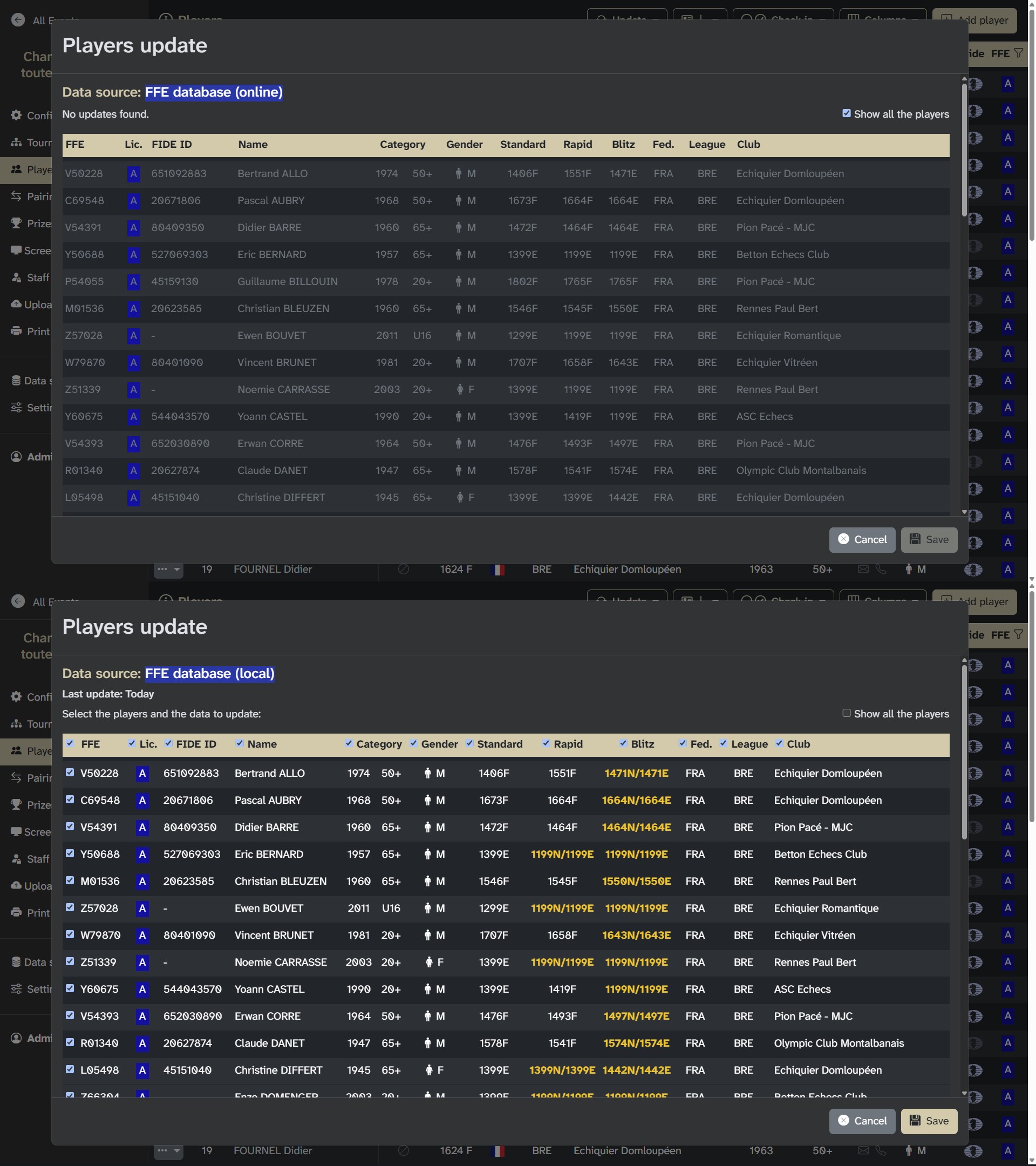
This problem has existed for several years (it has been reported to the FFE several times but has never been fixed). Unlike Papi, Sharly Chess displays the observed differences before applying them, which is why arbiters are only now discovering this problem.
In practice, it is advisable to refer to the online FFE database and only use the local FFE database as a backup (when the FFE database is not available or there is no internet connection). Search the online FFE database, and switch on Try before the installed copy on its row in the data sources: players added from the FIDE list and the ratings checks then read the online database too, the installed copy standing in when there is no connection.
How do we upload results to the FFE website?
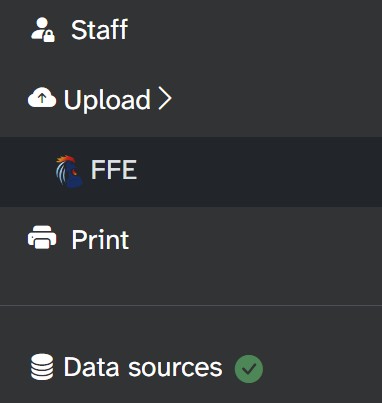
Once the plugin is activated, results are uploaded from the Data transfer menu (left panel), under FFE:
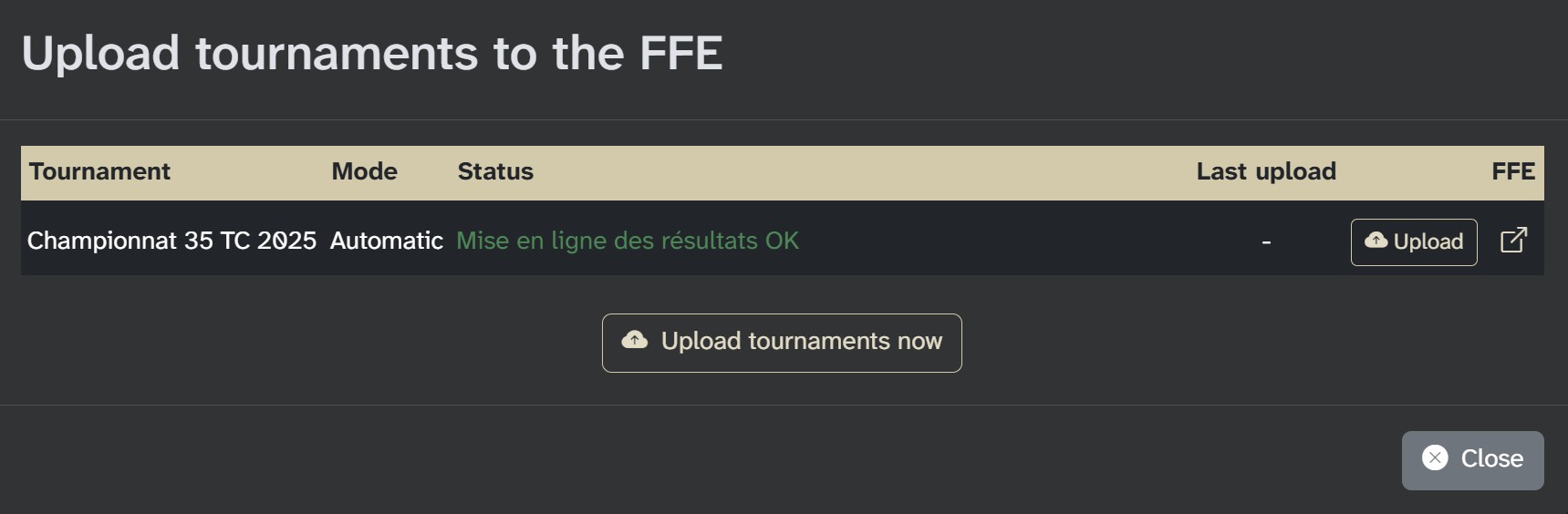
Automatic upload is switched on or off for each tournament whose FFE credentials have been entered, with the switch at the start of its row; the switch in the header of the table sets it for all of them at once. The results of these tournaments are then uploaded at regular intervals, without this window having to be opened.
The card of the tournament shows whether automatic upload is on: